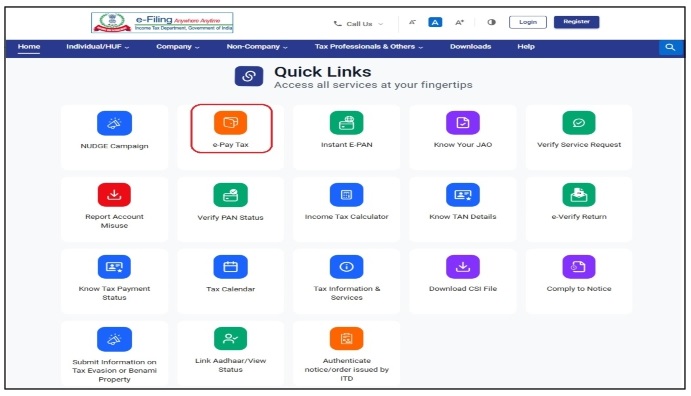
* Visit https://www.incometax.gov.in and scroll down for Quick Links * Click 'e-Pay Tax' icon.
Slide 2 of 18
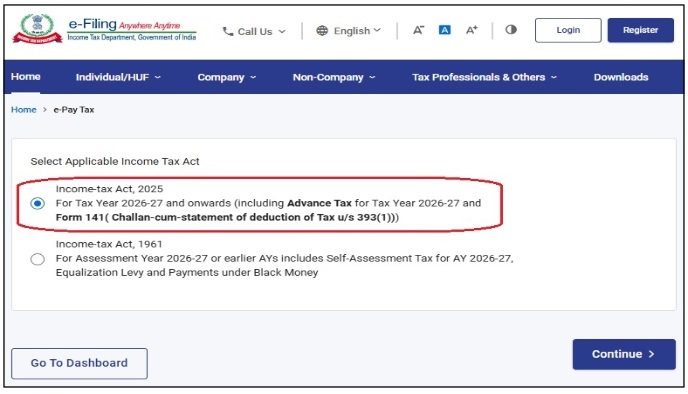
* Select the applicable Income Tax Act and click 'Continue'.
Slide 3 of 18
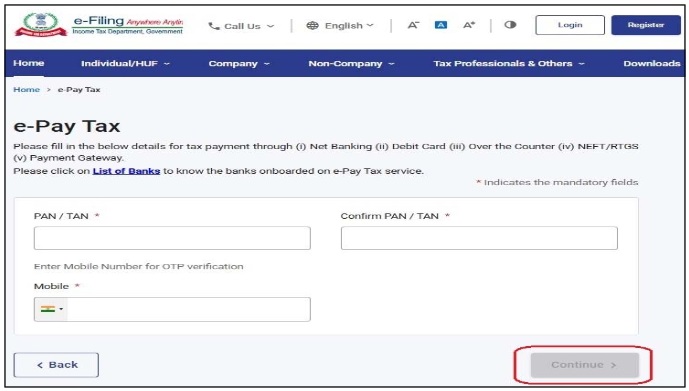
* Enter TAN of person paying TDS and * Enter any mobile number to receive OTP and click 'Continue'.
Slide 4 of 18
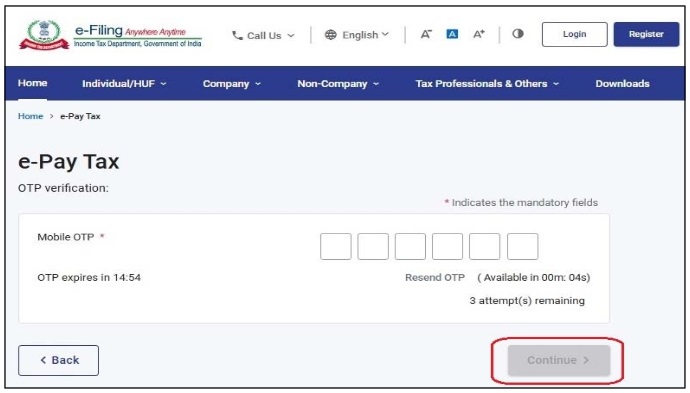
* Enter the 6-digit OTP sent to mobile entered and then click 'Continue'.
Slide 5 of 18
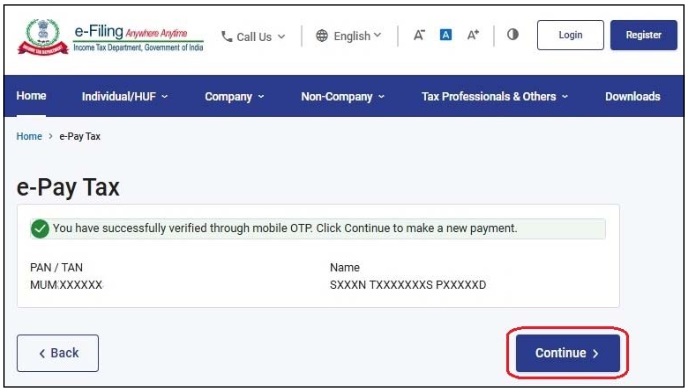
* On successful OTP Verification, Verify TAN and Name and click 'Continue'.
Slide 6 of 18
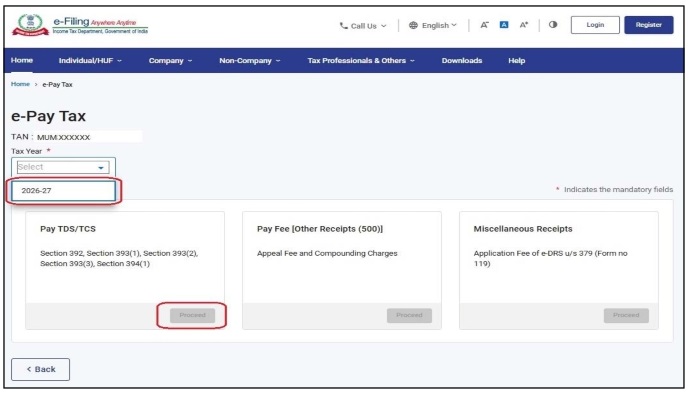
* Select the Tax Year (currently '2026-27') and * Click 'Proceed' under required Tab (currently 'Pay TDS/TCS').
Slide 7 of 18
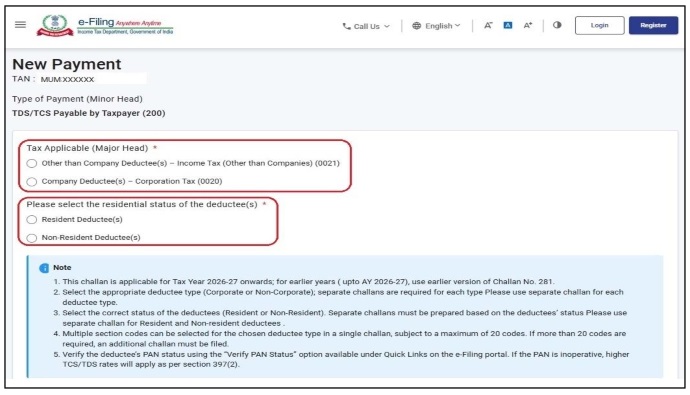
* Select the type of deductees viz. Corporate or Others and * Select Residential Status of deductees.
Slide 8 of 18
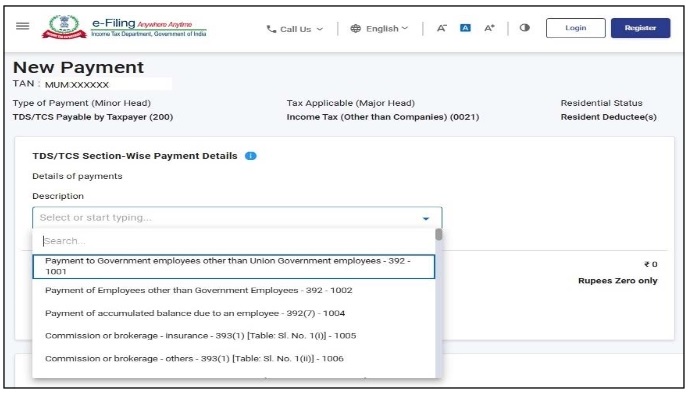
* Select Nature of Payment from the dropdown list * Multiple Selection upto 20 is allowed, however prefer to use only one Nature of Payment.
Slide 9 of 18
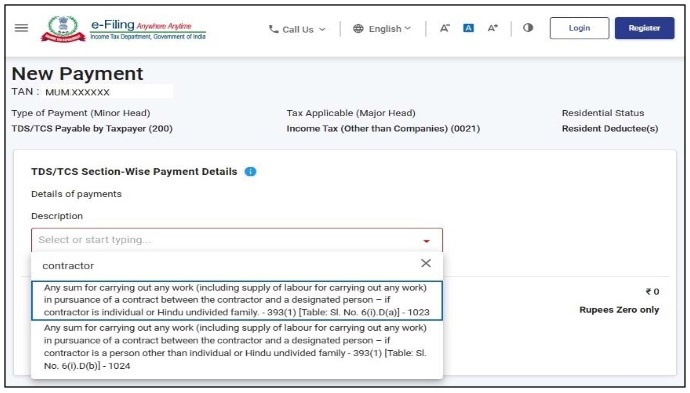
* Taxpayer can also search by entering related short text e.g. rent, contractor, interest * Related description appears below for selection * Check 'Shorts Notes on Income Tax Procedures' to know various Codes.
Slide 10 of 18
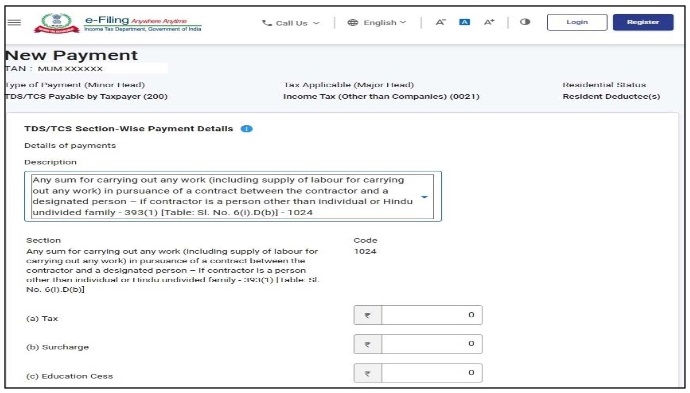
* Selection is disclosed and enter Tax, Surcharge and Education Cess payable for selection.
Slide 11 of 18
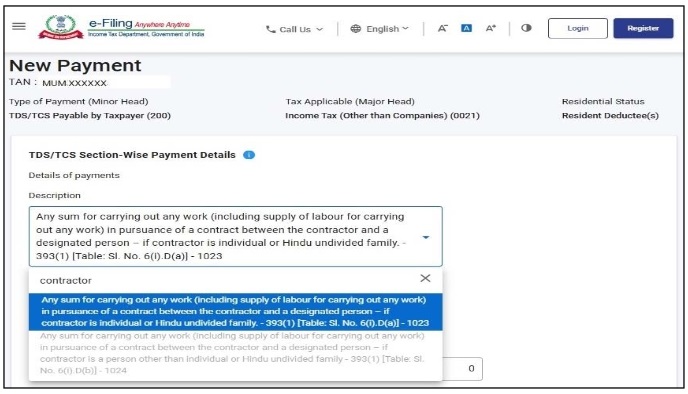
* You can again search another Nature of Payment, if you wish to pay for multiple sections * However, already selected can not be selected again and that option is non-selective.
Slide 12 of 18
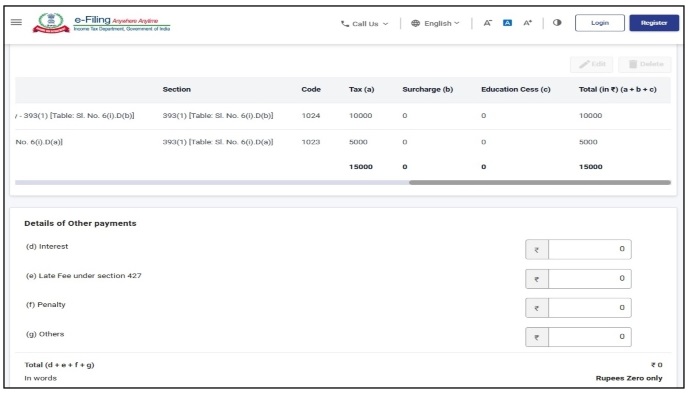
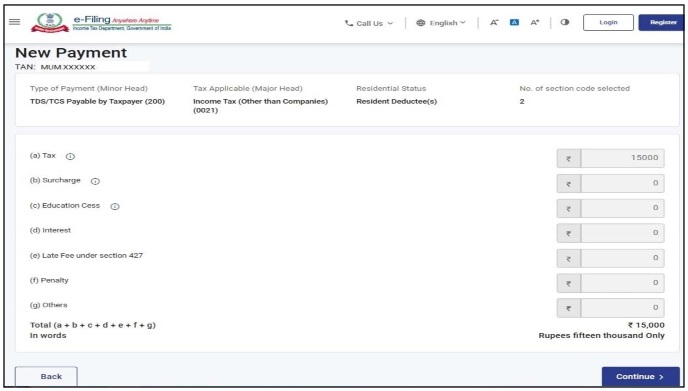
* Check the selection done and tax amount and * Enter Interest, Late Fee, Penalty or Others amount wish to pay.
Slide 13 of 18
* Draft Chalan will be displayed. Verify the details before proceeding * Click 'Continue' to proceed.
Slide 14 of 18
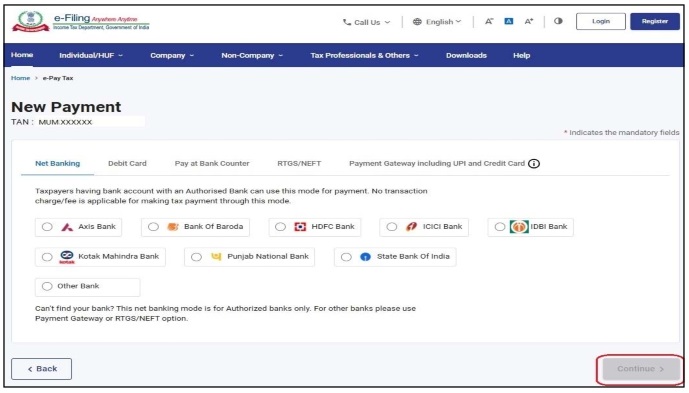
* Select the payment mode and applicable Bank.
Slide 15 of 18
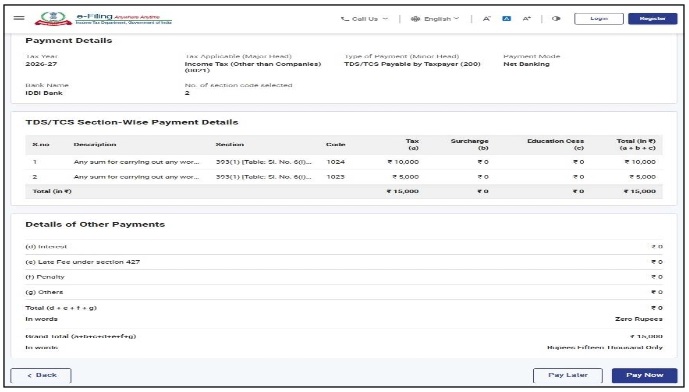
* Genrated Chalan will be displayed. * Click 'Pay Now' to process the payment and pay.
Slide 16 of 18
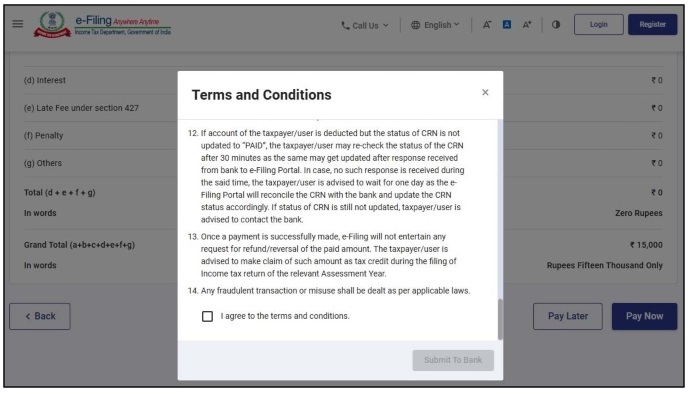
* Go to bottom of pop-up page to accept 'Terms and Conditions' by ticking checkbox
Slide 17 of 18
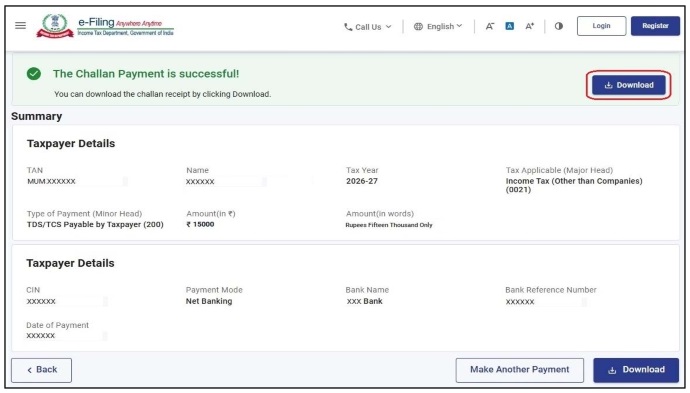
* After sucessful payment, sucessful message will appear * Click 'Download' to download the chalan.